


Ubuntu Proxy Integration
Integrating Ubuntu with Bright Data proxies enhances secure and efficient web scraping by providing flexible proxy management for reliable data extraction on a stable Linux platform.
This guide may be outdated. For an up-to-date guide please see our documentation.

- 400M+ Residential IPs
- Sticky and rotating sessions
- 99.95% success rate
- Geo-location targeting - FREE

What is Ubuntu?
Ubuntu is a popular open-source Linux distribution. It’s an OS that provides an alternative to proprietary operating systems like Windows or macOS. Created by Canonical Ltd., Ubuntu is known for its user-friendly interface, stability, regular updates, and strong community support.
Key features of Ubuntu:
- Open Source: Ubuntu is built on open-source principles, which means its source code is freely available for anyone to view, modify, and distribute.
- Variants: Apart from the standard desktop version, Ubuntu offers variants tailored for different uses such as server deployments, cloud computing , lightweight systems, and more.
- Package Management: It uses the APT package manager along with.
- Unity and GNOME: In earlier versions, Ubuntu used the Unity desktop environment. Later versions shifted back to GNOME as the default desktop environment.
How to setup Ubuntu
with Bright Data proxies:
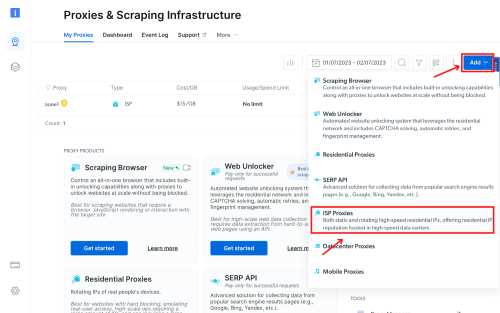
Create a Zone in Bright Data:
Initiate the integration process with Linux by creating a zone as per your requirements. For this guide, we’re creating an ISP zone.
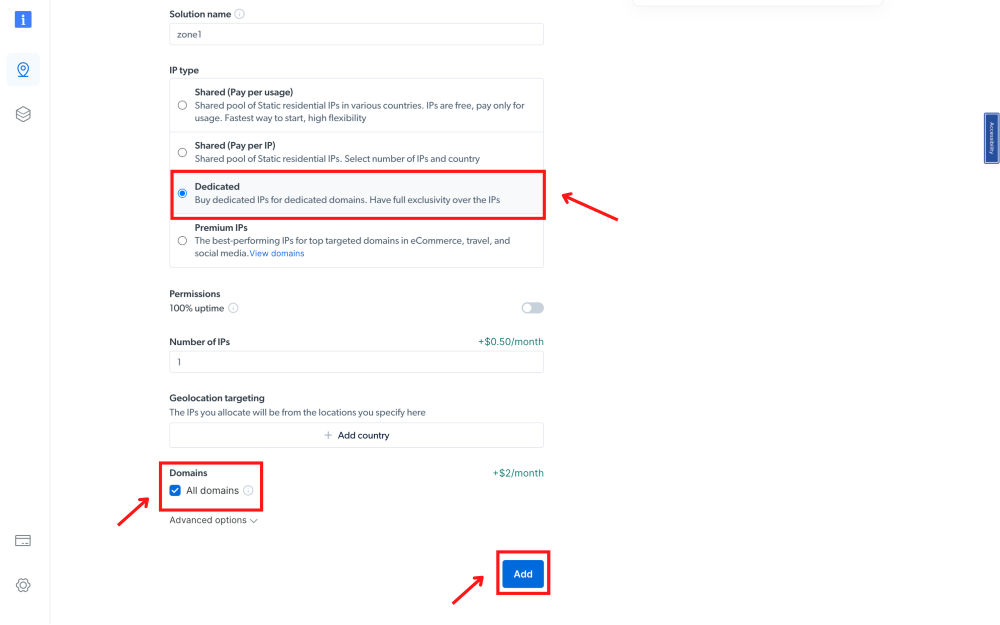
Choose IP type and domains:
In this guide, we will choose dedicated IP. Ensure to include your targeted domains or opt for the “All domains” setting for multiple site targeting.
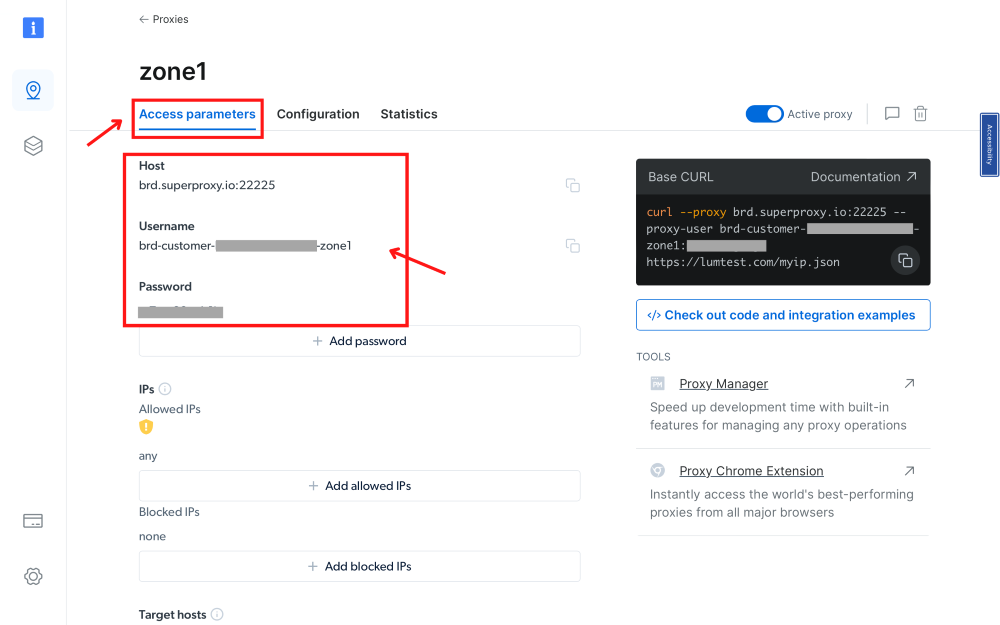
Procure Access Parameters:
Get the proxy access parameters, including: host, username, and password
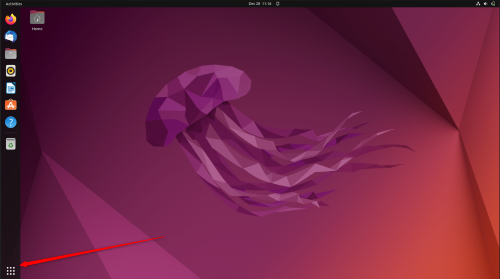
Press ubuntu start tab
On Ubuntu, click on the start tab
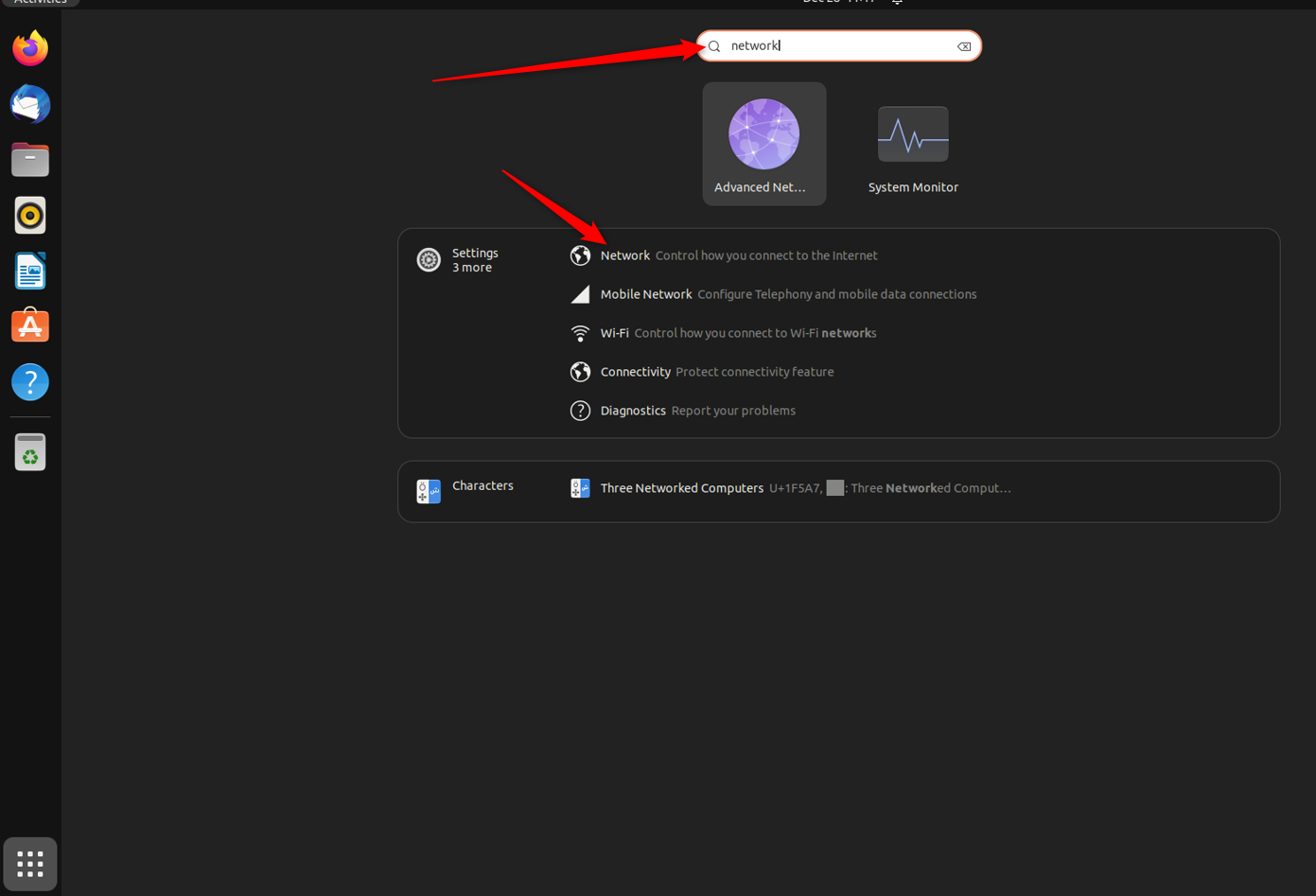
Write in the search bar 'Network' > and click on 'Network'.
In the search bar look for ‘Network’ and click on it
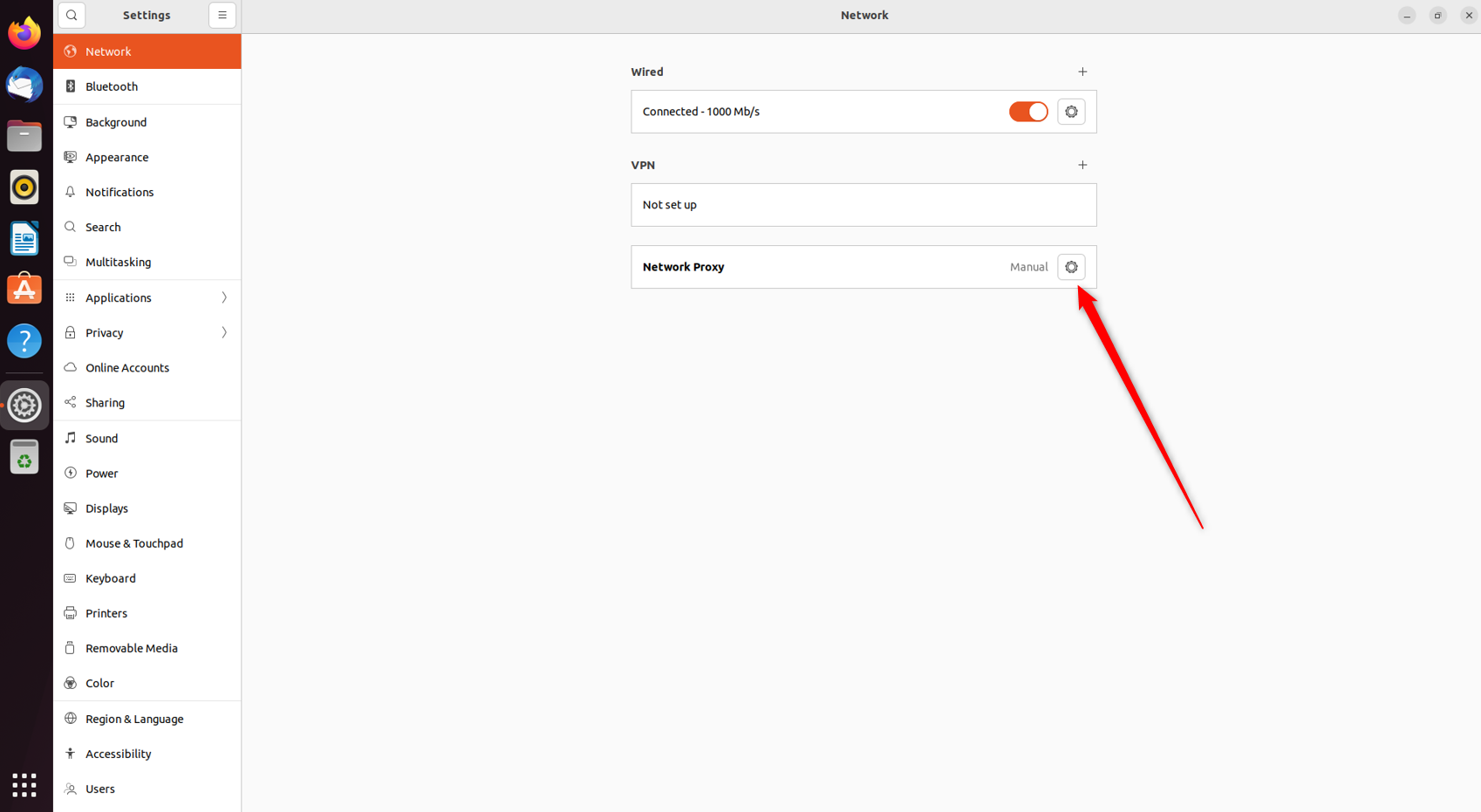
After clicking network:
Once you click on Network, you’ll find three options: “Wired”, “VPN”, and “Network Proxy”. Click on “Network Proxy”.
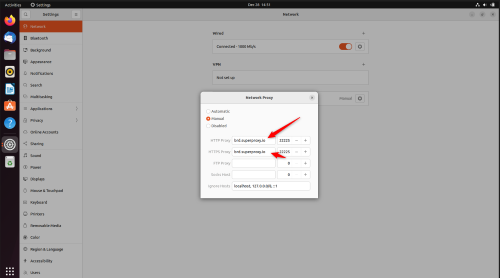
HTTP proxy and port:
Fill in brd.superproxy.io and in port write 33335. Once you close the Network Proxy window, the changes will automatically be saved and the system-wide proxy will be activated.
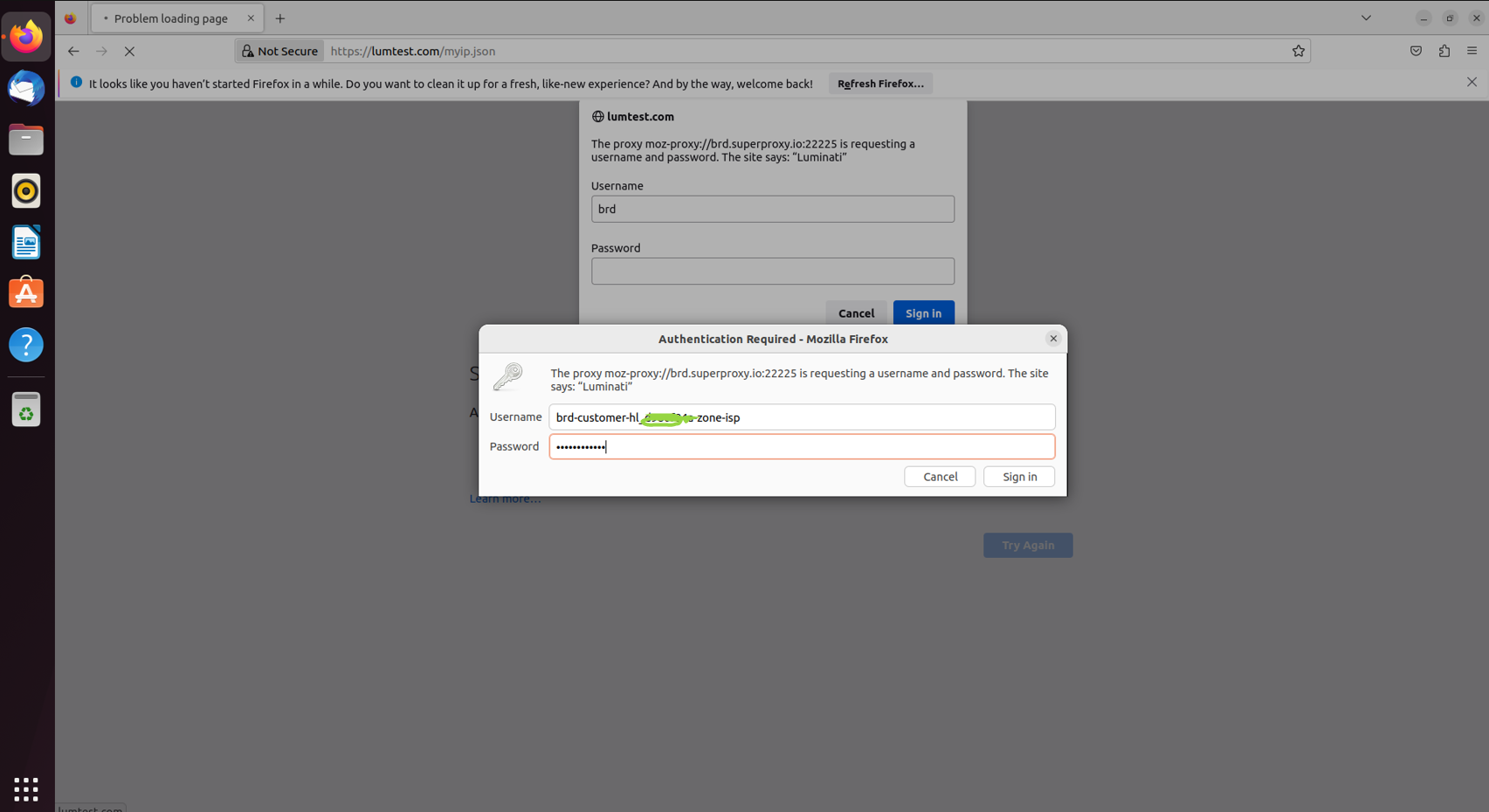
Exit window and open browser:
Exit this window and open any browser, you will be asked to enter you credentials from step 3.
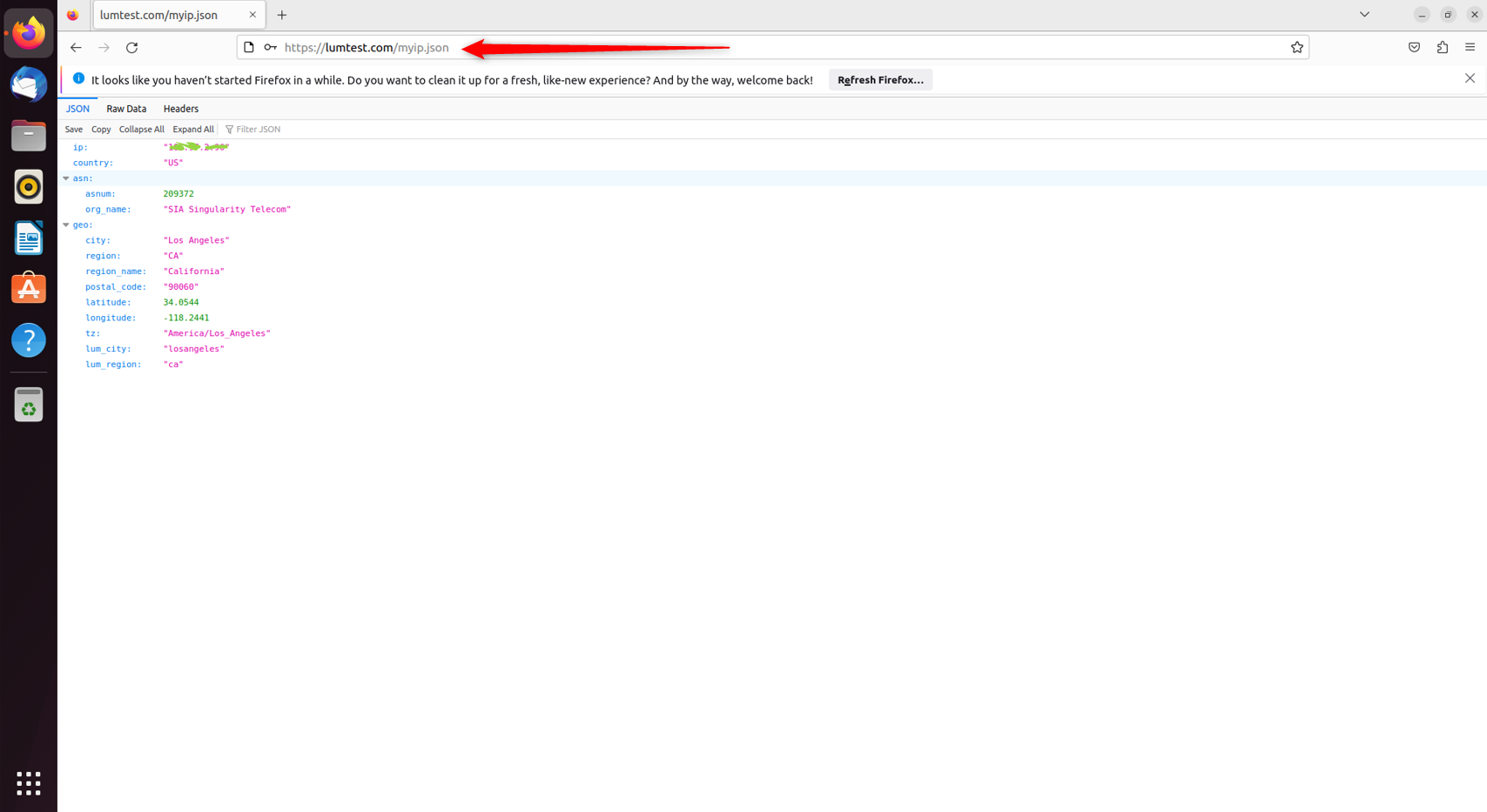
Check IP allocation:
Target https://lumtest.com/myip.json to check if the ip allocated to you is the correct one.
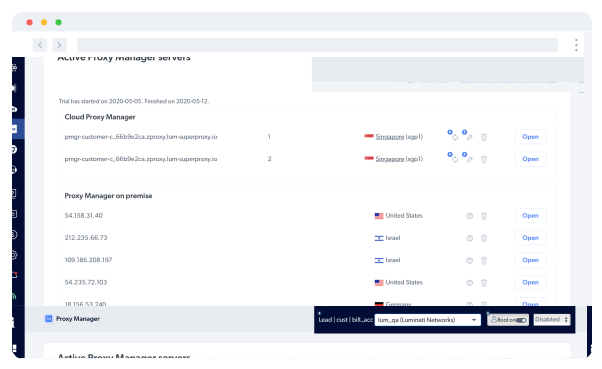
Bright Data's Proxy Manager:
You can also install in our Proxy Manager application tool.
Bright Data Proxy Manager is an application where you can control, manage, and monitor all of your proxies either from our app interface or via API.
If you decide to download our Proxy Manager make sure you get back to automate in the ubuntu network settings because you cant target Bright Data website with our own proxies.
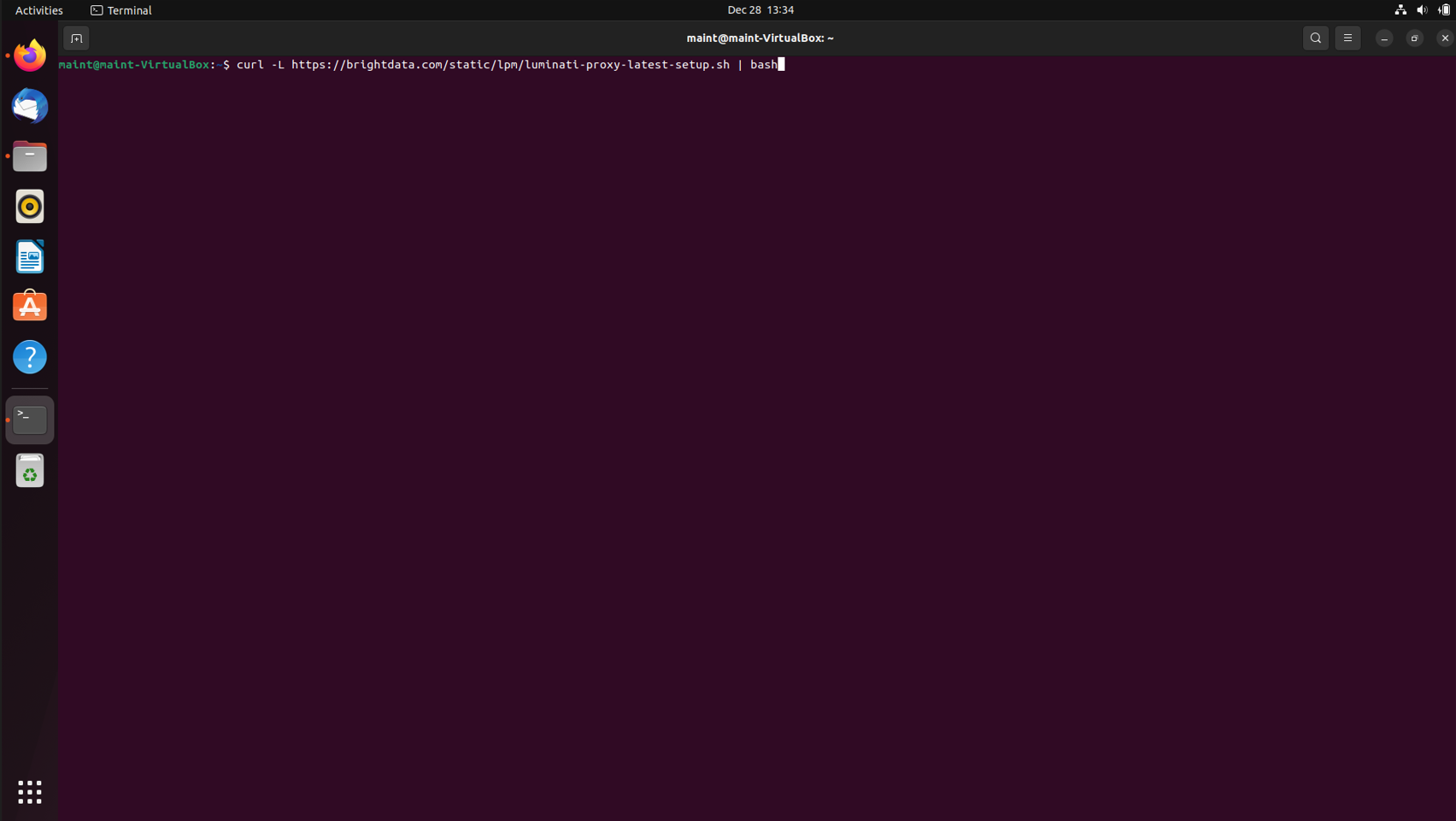
Download Proxy Manager:
To download proxy manager open terminal in ubuntu
Write there : curl -L https://brightdata.com/static/lpm/luminati-proxy-latest-setup.sh | bash
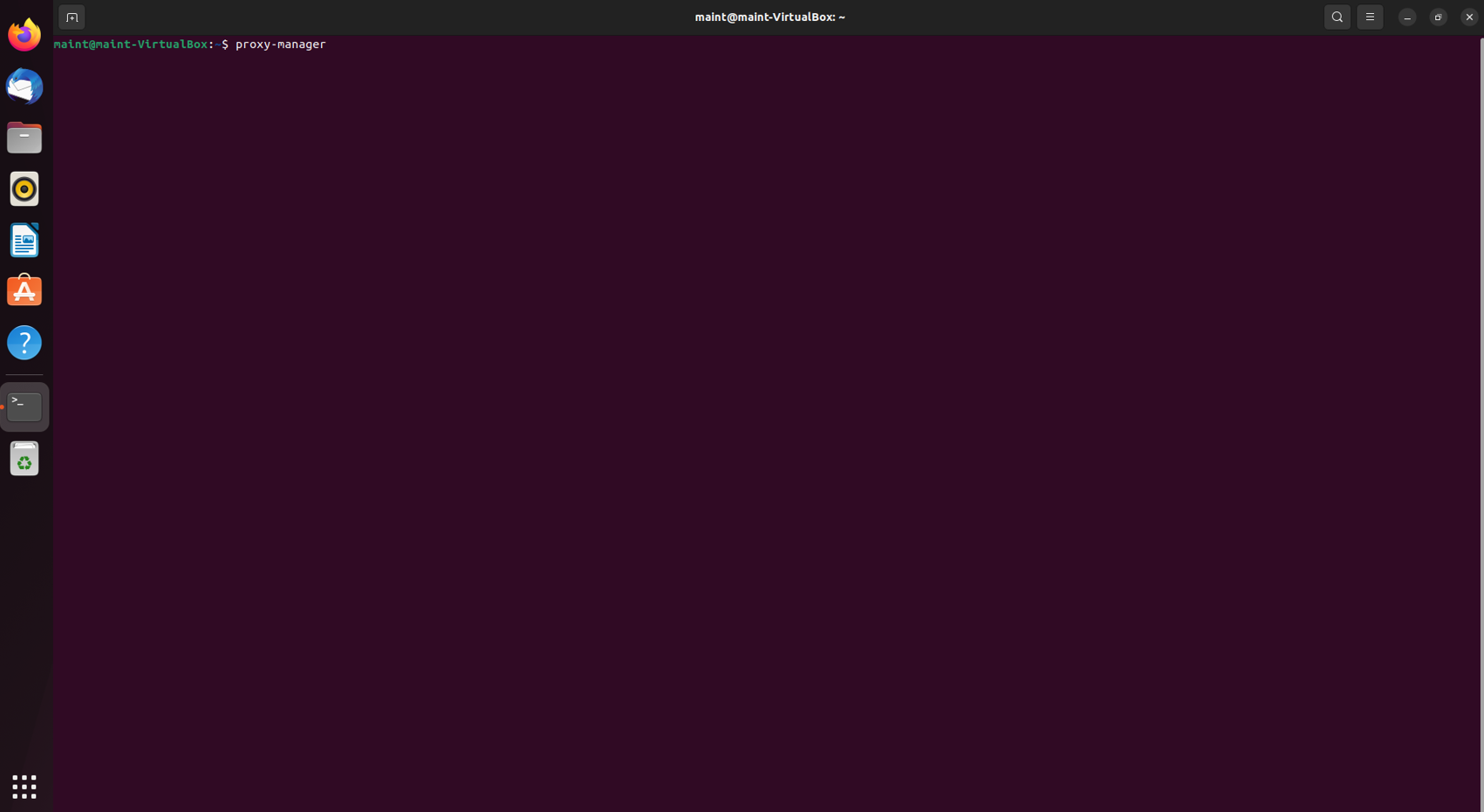
After Proxy Manager installation:
Write in the terminal proxy-manager
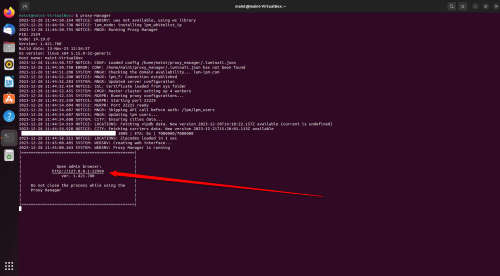
Click on the generated link:
Click on the generated link, once done the Proxy manager will open.
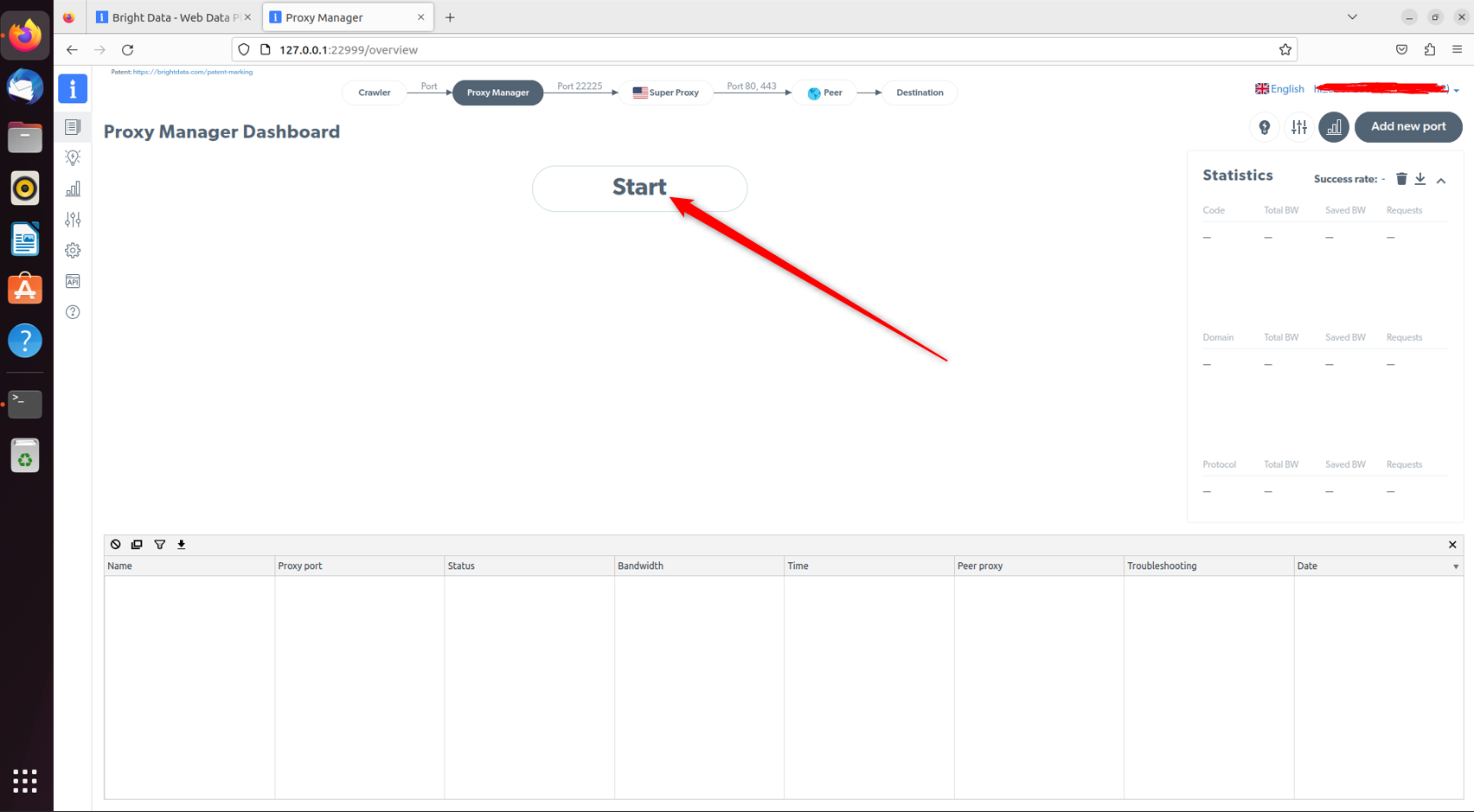
Click on “Start”
Click on the generated link, once done the Proxy manager will open.
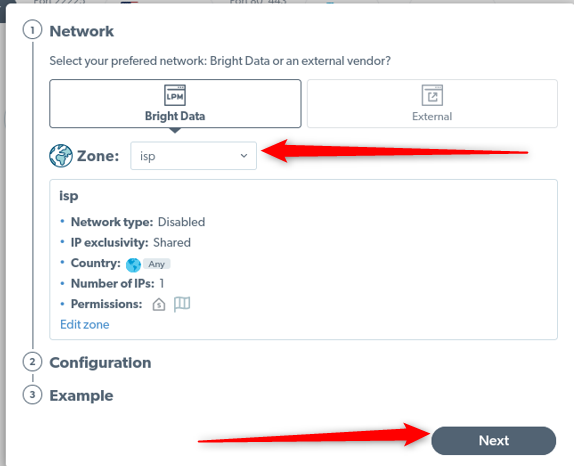
Change the zone to isp and press next
Change the zone to ISP and then click on Next, no need to change anything under the ‘Configuration’ tab
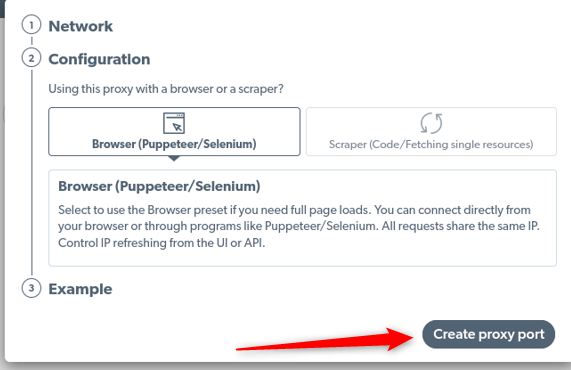
Press “create proxy port”.
When done, click on ‘Create proxy port’
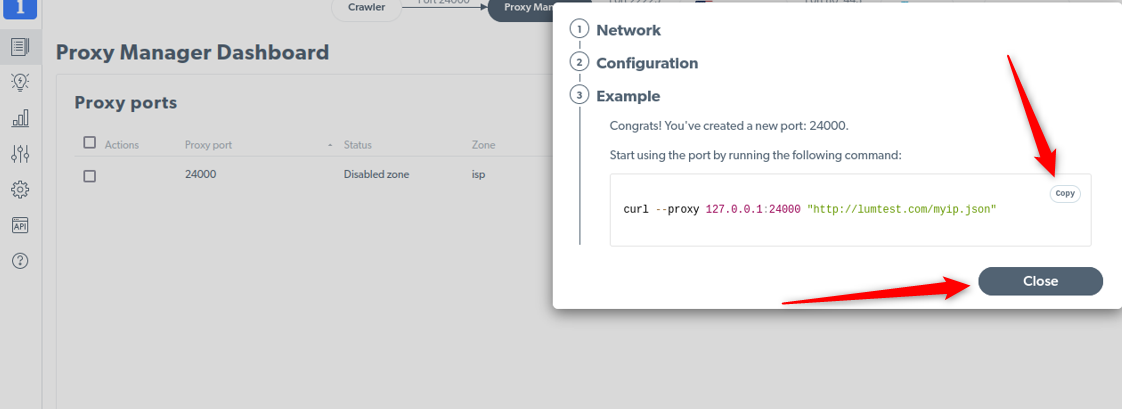
Proxy Manager via terminal:
If you want to use the Proxy Manager via the terminal copy the following example snippet and run it in the terminal.
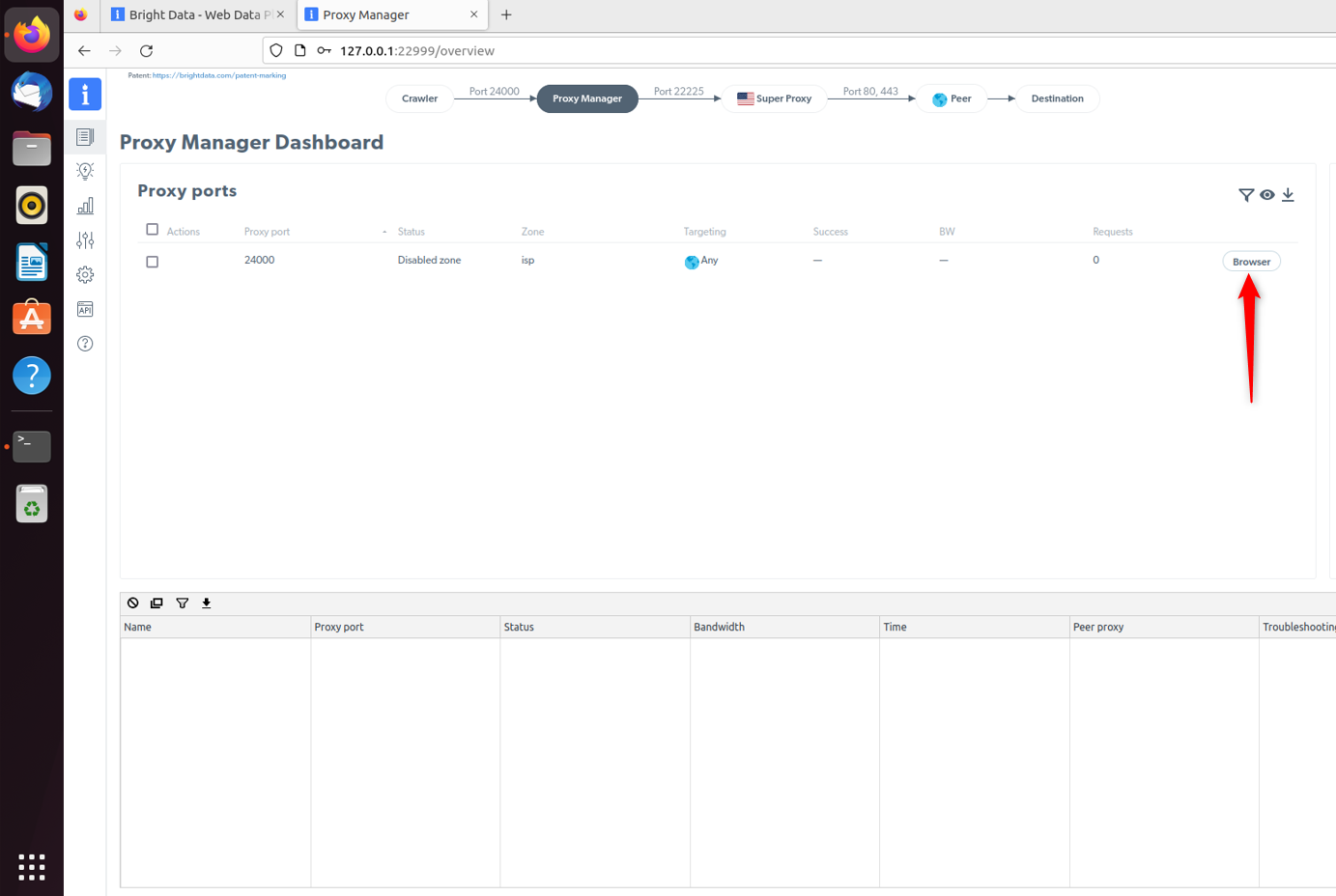
Proxy Manager via Chromioum browser:
If you would like to use the proxy manager with our integrated Chromioum browser just click on “Browse” as shown below.
Conclusion
To wrap up, setting up Bright Data proxies with Ubuntu is a simple way to improve your online experience. With Ubuntu’s ability to redirect any internet app through a proxy, and Bright Data’s secure service, you gain more control and flexibility. This combination offers better speed, privacy, and allows you to manage your internet activities easily. It’s a smart choice for all internet users.
⚠️Important note: If you are using Bright Data’s Residential Proxies, Web Unlocker or SERP API, you need to install an SSL certificate to enable end-to-end secure connections to your target website(s). This is a simple process, see https://docs.brightdata.com/general/account/ssl-certificate#installation-of-the-ssl-certificate for instructions.
Get proxies for Ubuntu
수상 경력에 빛나는 프록시 인프라로 구동됩니다
400 million개 이상의 주거용 IP, 최고 수준의 기술력, 그리고 국가, 도시, 우편번호, 통신사, ASN을 대상으로 할 수 있는 능력은 저희 프리미엄 프록시 서비스를 개발자들에게 최고의 선택이 되게 합니다.


모든 개발 경로를 위한 프록시
네트워크, 피어, IP를 자유롭게 조합하여 지속적인 웹 데이터 흐름을 최적화하세요.


Proxy Network Pricing


- 무제한 확장성
- 무제한 좌석
- 프리미엄 SLA
- 99.99% 네트워크 가동 시간
- 무료 프록시 관리자
- 완전한 데이터 커버리지
- GB당 맞춤형 가격
- 맞춤형 솔루션
- 무제한 확장성
- 무제한 좌석
- 프리미엄 SLA
- 99.99% 네트워크 가동 시간
- 무료 프록시 관리자
- 완전한 데이터 커버리지
- GB당 맞춤형 가격
- 맞춤형 솔루션
- 무제한 확장성
- 무제한 좌석
- 프리미엄 SLA
- 99.99% 네트워크 가동 시간
- 무료 프록시 관리자
- 완전한 데이터 커버리지
- GB당 맞춤형 가격
- 맞춤형 솔루션
- 무제한 확장성
- 무제한 좌석
- 프리미엄 SLA
- 99.99% 네트워크 가동 시간
- 무료 프록시 관리자
- 완전한 데이터 커버리지
- GB당 맞춤형 가격
- 맞춤형 솔루션

업계 최고의 고객 경험
매일 새로운 기능이 출시됩니다
필요할 때 바로 질문에 답변하기 위해
실시간 네트워크 성능 대시보드
성능 최적화를 위해
데이터 수집 목표를 달성하기 위해
프록시 및 데이터 수집 분야의 선도 기업

650 매일 수집되는 공개 데이터 TB

매일 새로운 기능이 출시됩니다

세계 최고의 대학 7/10개 제공
