


iPhone Proxy Integration
Integrating Bright Data proxies with iPhone applications enhances mobile data gathering by providing secure and flexible proxy management for reliable and anonymous web access.
This guide may be outdated. For an up-to-date guide please see our documentation.

- 400M+ Residential IPs
- Sticky and rotating sessions
- 99.95% success rate
- Geo-location targeting - FREE
Introduction
In the realm of digital connectivity, iPhones are renowned for their robust security and premium features. However, even these advanced devices can benefit significantly from the integration of proxies, especially in an era where online privacy and global accessibility are critical. Bright Data’s proxy service, known for its vast network and advanced features, offers iPhone users a unique edge in the digital world. This guide delves into the seamless integration of Bright Data proxies with your iPhone, transforming your device into a powerhouse of secure and unrestricted internet access.
Important Notes for iPhone Users:
- Wi-Fi Only Configuration: iOS confines proxy usage to Wi-Fi connections, excluding cellular data from proxy benefits.
- Proxy Type Limitation: iOS supports HTTP proxies exclusively, meaning SOCKS5 proxies aren’t an option.
- iOS 17 Reference: This guide, with its iOS 17 screenshots, offers instructions likely to remain relevant in future iOS updates.
Why Choose Bright Data Proxies for Your iPhone?
- World’s Largest Proxy Network: Offering unparalleled access and variety.
- Industry Leadership: A trusted name in the proxy world, synonymous with reliability and innovation.
- Advanced, User-Friendly Configuration: Easy setup for all types of proxies, including residential, data center, and geolocation-specific options.
- Versatile Proxy Options: Whether it’s for market research, personal use, or content access, our proxies cater to all needs.
How to setup Bright Data proxies with iPhone
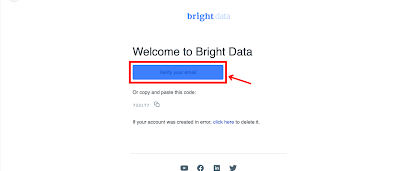
Registration on Bright Data:
- Sign up to Bright Data.
- Verify your email address to activate your account.
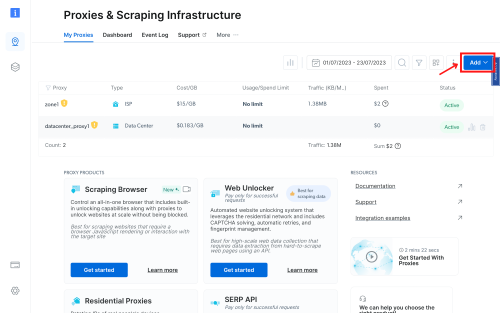
Zone Configuration:
Navigate to the “Proxy & Scraping Infrastructure” section and Add a new designated Zone for your proxy usage.
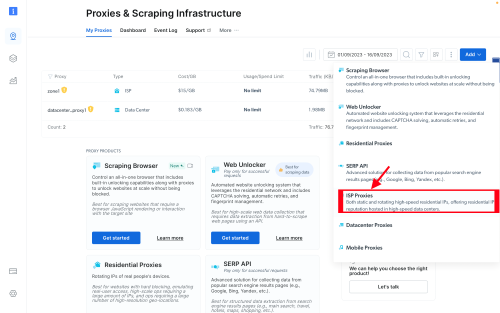
Choose proxy type:
In this guide, we will show setup for ISP proxies.
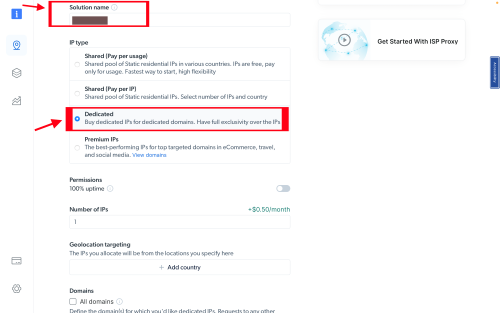
IP type and location selection:
Name Your Proxy Zone and Select the Ideal IP Type. Options include Shared IPs with pay-per-usage, Dedicated IPs, and Premium IPs for optimal performance. Choose the one that best suits your needs.
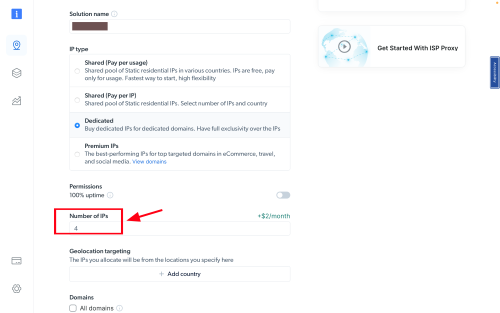
Fill in the number of IPs you need.
In the number of IPs free text field, write the number of IPs you need
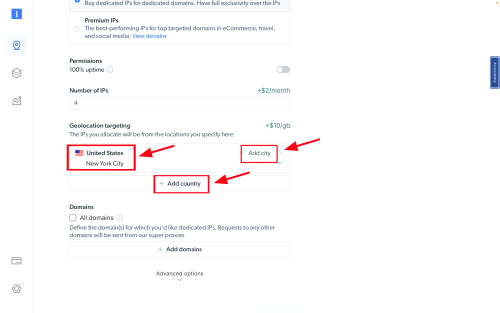
Geolocation targeting:
Choose your desired country and city for the IP location.
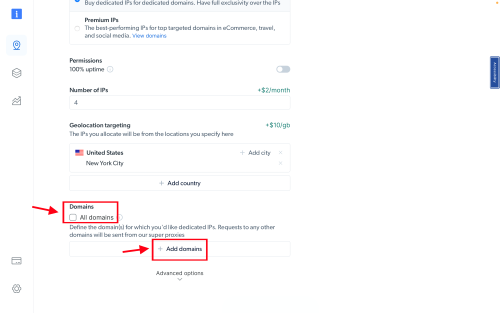
Domain type:
Specific domains or use ‘All domains’ for one IP to target websites using the same IP.
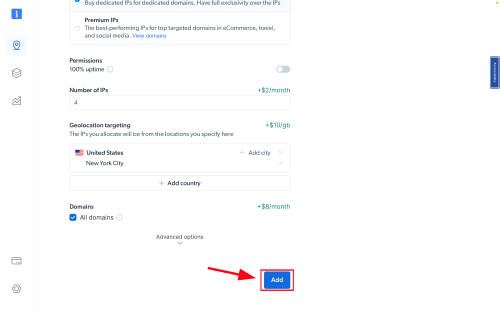
Click the "Add" button to create the Zone.
Once you finished editing all the fields, click on ‘Add’ to create the zone
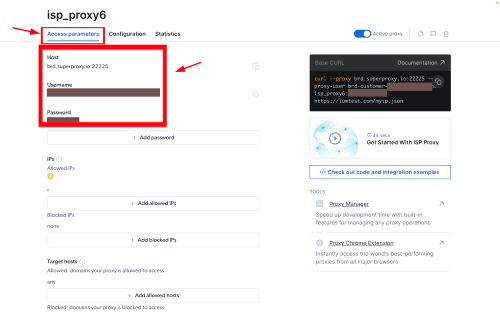
Accessing Proxy Details:
Click on the name of your Zone, navigate to the “Access Parameters” tab, and note down the proxy credentials:
- host
- port
- username
- password
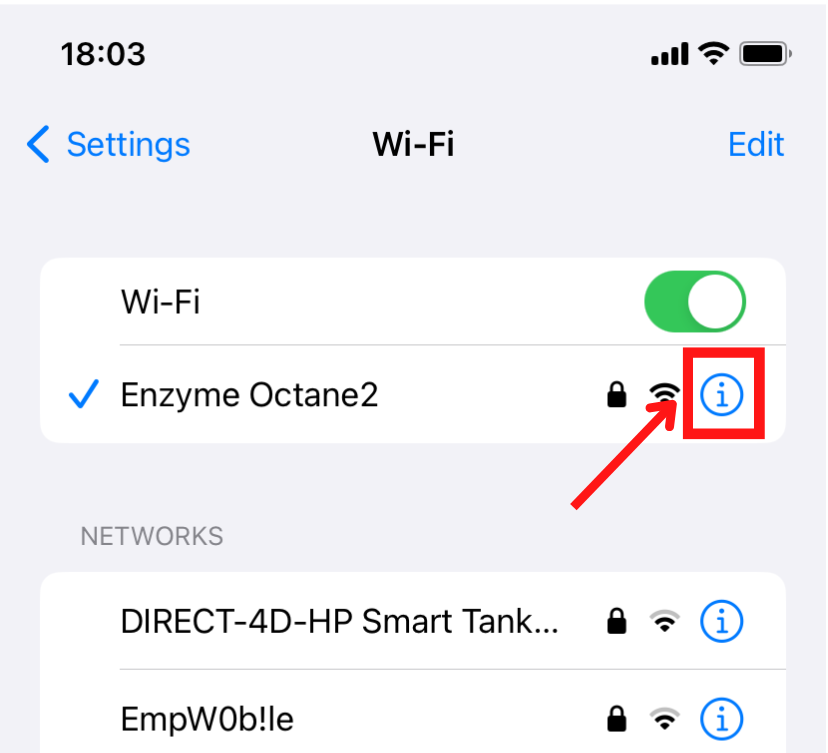
Open iPhone Settings:
- Tap the ‘Settings’ icon on your home screen.
- In the Settings menu, find and tap on the ‘Wi-Fi’ option.
- Click on the information (i) icon next to your connected Wi-Fi network.
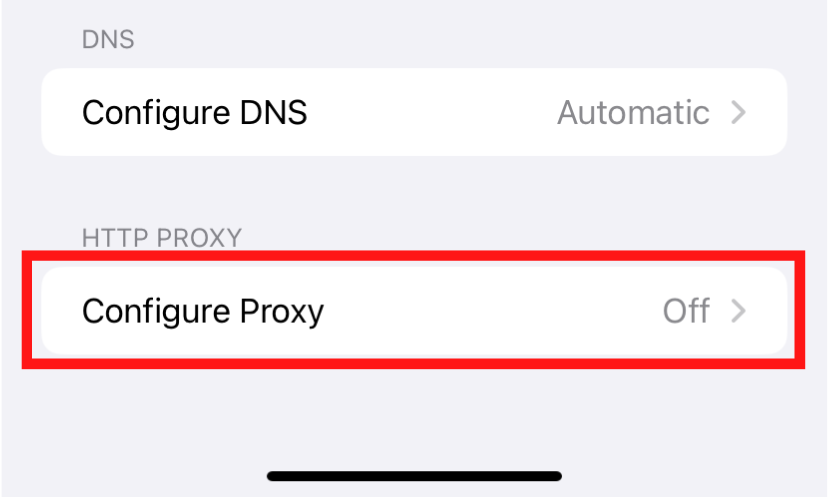
Proxy setup:
Select ‘Configure Proxy’ from the list of options.
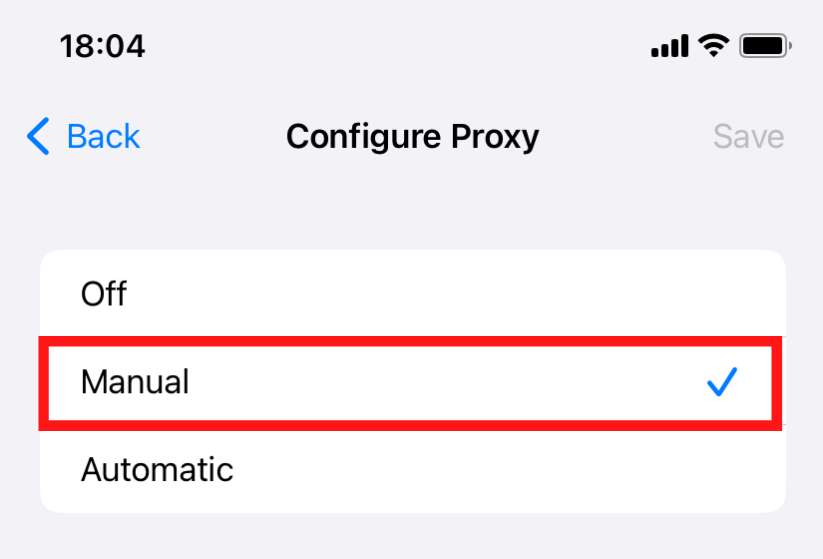
Manual proxy configuration:
Select ‘Manual’ option.
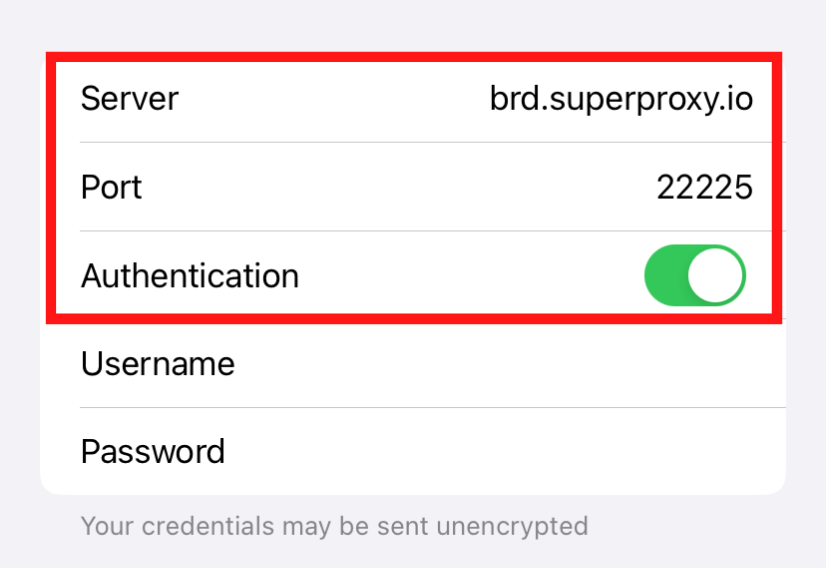
Enter proxy details:
- Server: Input ‘brd.superproxy.io‘.
- Port: Enter ‘33335‘.
- Authentication: Toggle this on and enter your Bright Data credentials. For obtaining username and password, visit your Bright Data account, select the relevant proxy zone, and refer to the ‘Configuration’ tab.
- Save: After entering the details, tap ‘Save’ to apply your proxy settings.
Note:If using a whitelisted IP, disable Authentication. For other connections, enable Authentication for access to username and password fields.
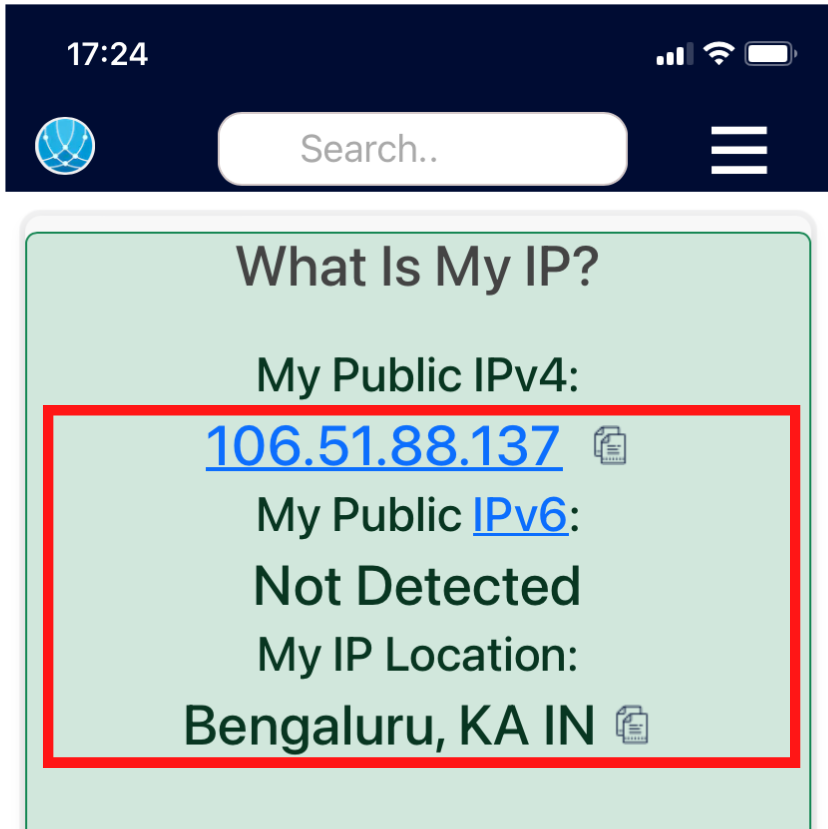
Verify the setup:
To confirm the proxy is working, visit a website like https://whatismyip.com/ to check if your IP address reflects the proxy.
*To disable the proxy, simply revisit your Wi-Fi settings, choose your network, and switch the proxy settings to ‘Off’.
This guide is relevant ONLY for browsing the Web, if you would like your applications to access the proxy as well you will need to integrate our proxies using a 3rd party app (Postern for Android, Shadowrocket for IOS)
⚠️Important note: If you are using Bright Data’s Residential Proxies, Web Unlocker or SERP API, you need to install an SSL certificate to enable end-to-end secure connections to your target website(s). This is a simple process, see https://docs.brightdata.com/general/account/ssl-certificate#installation-of-the-ssl-certificate for instructions.
Get proxies for iPhone
수상 경력에 빛나는 프록시 인프라로 구동됩니다
400 million개 이상의 주거용 IP, 최고 수준의 기술력, 그리고 국가, 도시, 우편번호, 통신사, ASN을 대상으로 할 수 있는 능력은 저희 프리미엄 프록시 서비스를 개발자들에게 최고의 선택이 되게 합니다.


모든 개발 경로를 위한 프록시
네트워크, 피어, IP를 자유롭게 조합하여 지속적인 웹 데이터 흐름을 최적화하세요.


Proxy Network Pricing


- 무제한 확장성
- 무제한 좌석
- 프리미엄 SLA
- 99.99% 네트워크 가동 시간
- 무료 프록시 관리자
- 완전한 데이터 커버리지
- GB당 맞춤형 가격
- 맞춤형 솔루션
- 무제한 확장성
- 무제한 좌석
- 프리미엄 SLA
- 99.99% 네트워크 가동 시간
- 무료 프록시 관리자
- 완전한 데이터 커버리지
- GB당 맞춤형 가격
- 맞춤형 솔루션
- 무제한 확장성
- 무제한 좌석
- 프리미엄 SLA
- 99.99% 네트워크 가동 시간
- 무료 프록시 관리자
- 완전한 데이터 커버리지
- GB당 맞춤형 가격
- 맞춤형 솔루션
- 무제한 확장성
- 무제한 좌석
- 프리미엄 SLA
- 99.99% 네트워크 가동 시간
- 무료 프록시 관리자
- 완전한 데이터 커버리지
- GB당 맞춤형 가격
- 맞춤형 솔루션

프록시 및 데이터 수집 분야의 선도 기업

650 매일 수집되는 공개 데이터 TB

매일 새로운 기능이 출시됩니다

세계 최고의 대학 7/10개 제공

업계 최고의 고객 경험
매일 새로운 기능이 출시됩니다
필요할 때 바로 질문에 답변하기 위해
실시간 네트워크 성능 대시보드
성능 최적화를 위해
데이터 수집 목표를 달성하기 위해